
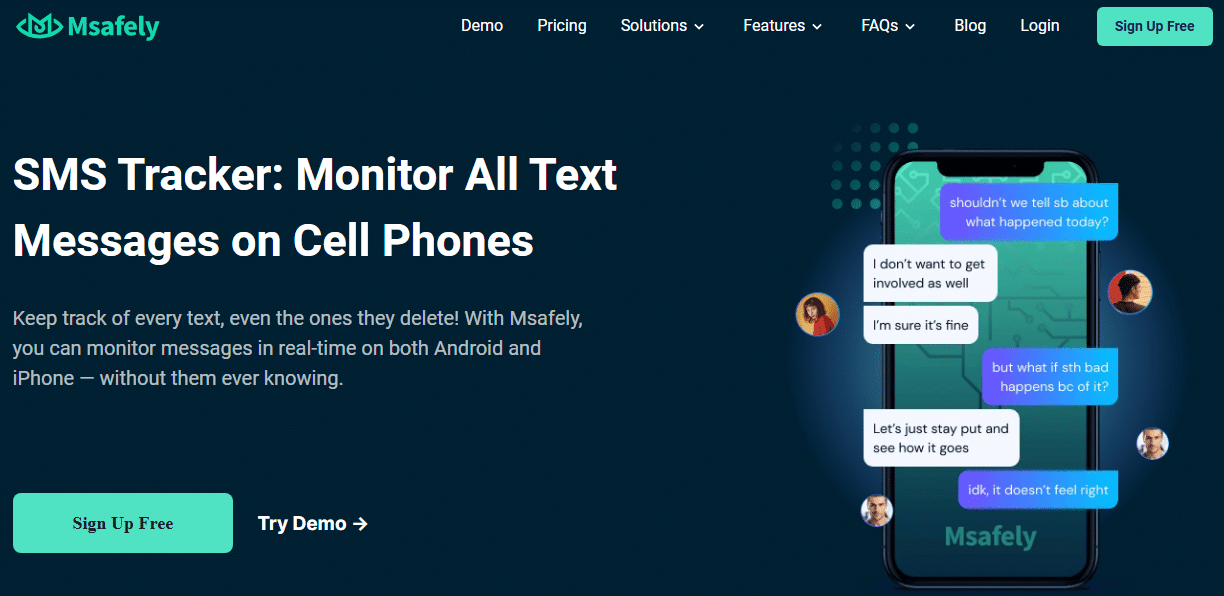
Stepping into the market of phone monitoring apps can feel a bit complex, right? Especially when you’re trying to figure out the best way to track text messages. There are so many options out there, each promising the most complete and hidden access. Msafely is one of the names that comes up frequently in 2025, particularly highlighted for its SMS tracking capabilities.
Evaluating a tool like this means looking closely at what it offers and how well it actually works in practice. Is it easy to use? Does it really capture everything? And critically, does it live up to the claim of discreet operation? This review dives into Msafely to see if it measures up as the best SMS tracker this year.
How Does Msafely Work?
Figuring out how a phone tracker gets information is key to understanding its effectiveness. Msafely takes a different path than some older methods. Instead of needing you to install a traditional app directly onto the target phone, it primarily uses cloud-based technology. This is how Msafely accesses data like text messages. It pulls this information remotely, making it accessible to you without needing constant physical access to the device. This is essentially how to track text messages on iPhone or Android using Msafely’s approach.

Msafely’s Pros and Cons
Pros:
- Very straightforward setup process, often without needing direct phone installation.
- Operates in a genuinely undetectable stealth mode.
- Captures standard SMS and iMessages effectively.
- Able to recover and display deleted text messages.
- Offers broad support for monitoring messages on many social apps.
- The online dashboard is intuitive and easy to navigate for reviewing data.
- Works reliably on both iOS and Android devices.
Cons:
- Requires having the target device’s iCloud or Google account credentials for the easiest setup options.
- There isn’t a free trial period available to test the service before committing to a subscription.
Msafely’s Key Features
After spending time evaluating Msafely, here’s a look at its key features and how they performed:
- SMS and iMessage Tracking: This is a core function, and I found Msafely handled it effectively. It consistently captures both incoming and outgoing standard text messages (SMS) and iMessages. Messages appeared on the dashboard with accurate timestamps and associated contact details. The data was presented clearly, allowing for easy reading of entire conversations.
- Deleted Message Recovery: A highly valuable feature for anyone needing full oversight. Msafely demonstrated the ability to recover messages that had been deleted from the target device’s message history. This capability extended to both standard texts and, importantly, messages from several popular social media apps, providing access to conversations the user thought were permanently gone.

- Extensive Social Media Messaging: Msafely impressed with its wide coverage of social media platforms. It provided access to messages from over 30 different apps, including major ones like WhatsApp, Instagram Direct, Snapchat, Facebook Messenger, and more. Chat logs were organized by platform, making it easy to follow discussions across different services. The performance in syncing these messages was reliable during testing.
- Keylogger: The keylogger feature accurately captured keystrokes typed on the device’s keyboard. This is useful for seeing messages being composed, search terms entered, or any other text input. It operated discreetly in the background, providing a raw feed of typed information that can complement message logs.
- Call Log Monitoring: Msafely efficiently synced the device’s call history. Details of incoming, outgoing, and missed calls, including contact information, timestamps, and call durations, were pulled and displayed clearly. This provides a necessary overview of voice communications alongside text-based ones.

- Multimedia Access: The ability to view photos and videos stored on the target device and those shared within messaging apps was functional. Media files synced to the dashboard, allowing review of visual content that might be relevant to conversations or activities.
- Web Browse History: Msafely captured web Browse history, including visits in private or incognito modes. This feature provides insight into online activity, showing visited websites and timestamps, which can offer context related to messages or other tracked data.
- App Usage: The app tracks which applications are used on the target device and for how long. This helps in understanding usage patterns and identifying apps where the user spends the most time, potentially highlighting areas for closer monitoring or concern.
- Location Tracking: While the focus is on messages, Msafely also includes real-time GPS location tracking and location history. Seeing the device’s location adds a geographical dimension to message data, providing context about where conversations or activities took place.

- Contacts List: Access to the target device’s contact list provides a clear overview of who the user is communicating with, making it easier to interpret message logs and call histories.
These features collectively offer a comprehensive view of a phone’s communications and activity, with a strong emphasis on messaging.
Msafely Subscription Plan
Msafely offers flexible subscription plans designed to fit different needs. A one-month plan is available for $49.98. For those needing monitoring for a longer period, the price per month decreases with longer subscriptions. The 3-month plan is $28.32 per month. The 12-month plan offers the best value, working out to just $11.66 per month.
How to Set Up and Use Msafely
Getting started with Msafely is designed to be simple and quick, which is a significant plus.
- Sign up: Head to the Msafely phone tracker website and create your account using your email.
- Choose the device type: Select whether the phone you want to monitor is an iPhone or an Android device.
- Choose suitable subscription plan: Select the plan duration that works best for your needs.
- Get access to the target phone: For iPhones, provide the target’s iCloud credentials. For Androids, you can use the Google Cloud sync method (no installation) or perform a quick, hidden APK installation if brief physical access is possible.
After these steps, you log into your online dashboard to begin monitoring.

Customer Support
Msafely provides customer support through 24/7 live chat. Having support available around the clock is valuable, especially if you encounter any issues during setup or while accessing data, ensuring help is there when you need it.
Msafely vs Other Alternatives
When evaluating Msafely against other monitoring apps in 2025, its approach to installation and overall feature set for SMS tracking stand out.
Here’s a comparison with some alternatives:
| Feature/Aspect | Msafely | SpyX | MMGuardian | Hoverwatch | uMobix |
| Setup Ease | ✅ Very Easy | ✅ Very Easy | ❌ Moderate | ❌ Moderate | ❌ Moderate |
| Installation Needed | No (Cloud Opt.) | No (Cloud Opt.) | Yes | Yes | Yes |
| Stealth Effectiveness | ✅ Undetectable | ✅ High | ❌ Visible App | ✅ High | ✅ High |
| SMS & iMessage Tracking | ✅ Reliable | ✅ Reliable | ✅ Reliable | ✅ Reliable | ✅ Reliable |
| Deleted Message Recovery | ✅ Effective | ✅ Effective | ❌ No | ❌ No | ✅ Effective |
| Social Media Covered | ✅ 30+ Platforms | ✅ 10+ Platforms | ❌ Limited | ✅ Limited | ✅ Multiple |
| Web History | ✅ Yes | ✅ Yes | ✅ Yes | ❌ No | ✅ Yes |
| Pricing (Monthly, est.) | $49.98 | $49.98 | $34.99 | $24.95 | $49.99 |
| User Interface | ✅ Intuitive | ✅ Intuitive | ✅ Functional | ✅ Functional | ✅ Intuitive |
| Support Availability | ✅ 24/7 Chat | ✅ 24/7 Chat | ❌ Limited | ❌ Limited | ✅ 24/7 Chat |
Msafely and SpyX offer the most straightforward setups with no-installation options. Msafely provides broader social media monitoring than many, and its ability to recover deleted messages sets it apart from MMGuardian and Hoverwatch. While uMobix is competitive on features, Msafely’s seamless setup for both platforms gives it an edge for many users. MMGuardian is functional but not stealthy.
Why Msafely is the Best Choice?
Choosing Msafely feels like a solid decision for anyone prioritizing effective and discreet SMS tracking in 2025. Its biggest advantage is the ease of setup and the ability to monitor without needing complex installation or physical access for the main methods. This contributes directly to its strong, undetectable stealth performance. The reliable capture of text messages, including deleted ones, across numerous social platforms provides truly comprehensive insight. For a user-friendly experience combined with powerful messaging features, Msafely stands out as a top contender.

Final Verdict
Based on this review, Msafely presents itself as a highly capable and user-friendly SMS tracker in 2025. Its key strength lies in successfully implementing discreet monitoring, including comprehensive text message tracking and deleted message recovery, without requiring traditional software installation on the target device for its main setup options.
This approach results in a streamlined experience and effective stealth. Msafely offers a robust set of monitoring features accessible through an intuitive dashboard. For those seeking a reliable and undetectable tool to gain insights into text communications and phone activity, Msafely is a strong option worth considering.
FAQ
Q: Can Msafely track messages on social media apps besides standard texts?
A: Yes, Msafely supports monitoring messages on a wide range of social media platforms like WhatsApp, Snapchat, Instagram, and more.
Q: Is Msafely’s deleted message recovery reliable?
A: Yes, Msafely has demonstrated effectiveness in capturing and allowing users to view messages that have been deleted from the target device.
Q: Does Msafely require rooting or jailbreaking the target phone?
A: No, Msafely does not require rooting for Android or jailbreaking for iPhone to provide its monitoring features.
Q: How is Msafely different from a free spy app?
A: Free apps often lack reliability, stealth, comprehensive features, and dedicated support, whereas paid services like Msafely offer robust performance and discreet operation.


